QR Stamp Event
Turn your event floor plan into
a stamp mission
Place a QR code at each booth, exhibit, or landmark to create a mission. Participants scan, answer a quiz, and confirm their location to collect stamps. Finish all missions to enter the on-site or scheduled prize draw.
- 1 Event challenge
- →2 Join
- →3 Scan QR
- →4 Complete · Prize draw

Printed mission QR codes posted at each spot

a public library in Korea
Art Library 7th Anniversary QR Stamp Tour
Use Cases
Use Cases by Event Type
Booths, exhibit halls, landmarks, stores, campuses, office buildings — anywhere people walk around can become a mission.
Festivals / Events
- ✓Booth visit stamps
- ✓Quizzes tied to booth signage
- ✓Instant roulette or lottery draw upon completion
Exhibitions / Trade Shows
- ✓Exhibitor booth visit log
- ✓Zone-by-zone exhibition hall stamps
- ✓Post-event draw for finishers
A Korean city government
Scenic Landmarks Stamp Tour
650
Tourism / Cultural Foundations
- ✓Landmark and trail stamp tour
- ✓True/false quiz at each location
- ✓End-of-tour draw for finishers
A public library system in Korea
Library Trail Stamp Tour
622
Museums / Libraries
- ✓Gallery-by-gallery exhibit quiz
- ✓Recommended-book true/false quiz
- ✓Multi-branch tour spanning several venues
Shopping Malls / Resorts
- ✓Floor-by-floor and store-by-store visit missions
- ✓Attraction and photo-spot visit missions
- ✓Limited-edition seasonal prize draw
University Events
- ✓Building-by-building campus tour quiz
- ✓New-student orientation missions
- ✓Festival booth stamp rally
Corporate Events
- ✓Anniversary and field day team missions
- ✓New-employee office tour quiz
- ✓Safety checkpoint quizzes with completion records
- ✓Plogging and volunteer activity check-in


Participant
Participant Experience
Participants join through the AllRunner app. Scan a QR code, complete the mission, and earn a stamp.
- ✓QR scans can be paired with quizzes and location verification
- ✓Set the completion threshold to all missions or a partial count
- ✓A stamp already earned cannot be scanned again
Prize Draw
Two Prize Draw Modes
Choose instant on-the-spot draws the moment a participant completes the tour, or a scheduled draw after the event ends.
Mode 1
Instant On-Site Draw
The moment a participant earns their last stamp, the app launches a draw — roulette, a traditional Korean yut toss, lucky bag, or scratch card. Winners are capped at the number of prizes you have in stock.
- ✓Draw results determined server-side
- ✓Per-prize remaining quantity management
- ✓Staff verify the winning screen at the prize booth
Mode 2
Scheduled Draw with SMS Notification
After the event ends, an admin draws winners from finishers and announces results. Winners check the outcome in the app and receive their prizes via SMS.
- ✓Random draw from finishers
- ✓Winner announcement viewable in-app
- ✓Per-winner SMS delivery status tracking
Announce winners
Winners
On-Site Setup
On-Site Operations
Pick printed QR codes or on-screen QR codes to suit your venue, and distribute prizes with a redemption QR scan.
Bulk A4 Printing
Print mission QR codes four per A4 sheet and post them at each booth.
On-Screen QR — 30-Second Refresh
QR codes displayed on a tablet refresh every 30 seconds, so a photo of the code cannot be used to fake a check-in.
Prize Redemption QR
Staff scan a winner's redemption QR code to confirm delivery and block duplicate claims. No app installation required for staff — just a link.
Admin
Admin Tools
Choose the number of missions and the completion threshold, and the whole tour is set up in one step. Names and prizes can be added later.
Challenges
Our organization · Active challenges
Tour name *
Tour description *
Build the QR stamp tour
How many missions?
How will you place the QR codes?
How many spots to finish?
Add quizzes and photos to each mission later · prizes are in the Rewards tab
1. Find the QR code on site and scan it with the app.
2. Missions with a quiz or photo need both to earn the stamp.
3. Collect the required number to complete the challenge.
Challenges
Our organization · Active challenges
QR scanDefault
If photos of a printed QR get shared, people could scan without being there. If that's a concern, turn on 'Check scan location' below or use a screen QR
Mission name *
Description *
A QR scan alone passes. With extras, all of them are needed to complete the mission
QuizCorrect answers required *
Challenges
Our organization · Active challenges
Finishers draw on the spot. Wins are confirmed instantly, no announcement needed.
Results Report
Results Report
When the event ends, the admin console shows right away how many people collected how many stamps and which stops drew the most visits. Use it to plan the route and prize quantities for your next event.
- ✓Number and share of participants by stamps collected
- ✓Participants who met the prize-entry criteria
- ✓Visits per stop and share of all participants
- ✓Live participation and completion status, even during the event
Case Studies
Stamp Rally Case Studies
Real stamp tours run with AllRunner. Participant counts are taken directly from challenge records.
A Korean city government
Scenic Landmarks Stamp Tour
650
A Korean city government
Scenic Landmarks Stamp Tour
- Participants
- 650
- Missions
- 8 landmarks
2026.10.1 ~ 10.31 · Location check-in + true/false quiz
A tour linking 8 scenic landmarks chosen by residents of a Korean city — including temples, libraries, a mountain peak, a performing arts center, a traditional market, and a light-rail line. Each location featured an introduction and a true/false quiz.
View challenge ›A public library system in Korea
Library Trail Stamp Tour
622
A public library system in Korea
Library Trail Stamp Tour
- Participants
- 622
- Missions
- 7 libraries + 7 library trail stops
2026.9.1 ~ 9.30 · Library visit check-in + librarian-recommended book quiz
A tour visiting 7 public library branches and 7 surrounding trail stops. At each library, participants answered a true/false quiz on a librarian-recommended book. Among participants who collected all 14 stamps, 50 received a mystery book bundle.
View challenge ›
A city public health center in Korea
City Walking Trail Stamp Tour
210
A city public health center in Korea
City Walking Trail Stamp Tour
- Participants
- 210
- Missions
- 18 walking trail spots
2026.6.1 ~ 6.30 · Location check-in
Organized for Korea's Patriots and Veterans Month in June, this tour connected 18 walking trail spots in a Korean city — including memorial halls and monuments. Participants joined by scanning the QR code on the event poster.
View challenge ›How to Get Started
Getting Started
- 1Consultation
We learn about your event schedule, venue, expected turnout, and prizes, then recommend the best setup.
- 2Mission Design
Together we define mission locations, quizzes and location verification, the completion threshold, and the draw format.
- 3QR Preparation
Print A4 QR sheets or receive a link to display on-screen QR codes on your tablets.
- 4Event Day
Participants join through the AllRunner app while your team monitors participation and completion in the admin console.
- 5Draw and Prize Distribution
Run an instant or scheduled draw and distribute prizes using the redemption QR scan.
FAQ
Frequently Asked Questions
Do participants need to install an app?+
Yes. Participants join through AllRunner, a free app — they can jump straight in by scanning the QR code on the event poster.
What if someone photographs a QR code and scans it somewhere else?+
On-screen QR codes shown on a booth tablet change every 30 seconds. Depending on the venue, you can also require a location check so only participants who are actually on-site earn the stamp.
Can we stop one person from claiming a prize twice?+
When staff scan a winner's redemption QR, it shows whether the prize has been handed out and blocks duplicate claims. Staff verify through a link — no app install needed.
What can we include in a mission?+
On top of QR scans and location checks, you can add true/false, short-answer, initial-letter hint, or multiple-choice quizzes. Each stop gets its own photo and description.
How do prize draws work?+
Finishers can draw instantly on-site with a roulette or scratch card, or you can draw among finishers on a set date after the event and send prizes by text message.
What results do we get after the event?+
The admin console shows the number and share of participants by stamps collected, plus visit counts for each stop.
More Features
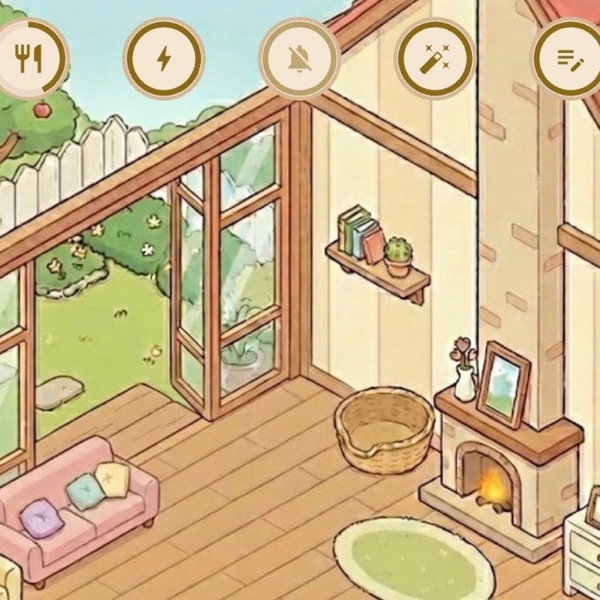
AI Pet
A companion that walks and chats with you
Finished 3 stamp tour spots! The park leaves are starting to turn
♡ 41
Anyone up for a slow run Saturday morning?
♡ 31
Local Community
Neighborhood news and activity sharing
Crews
Club and corporate crew challenges
Check in on each other through daily steps
Add friendFamily & Friends Check-in
See each other's steps and send encouragement
AI Support
Instant answers to common questions
15 responses
How many times a week do you usually walk for exercise?
In-App Surveys
Pre- and post-challenge surveys with results